Hey everyone, and welcome back to the blog! Let's talk about something I'm sure many of you have experienced: the chaos of a shared team email address. You know the ones—support@, info@, sales@. Who's replying to what? Did that important client query get answered, or did two people reply at the same time? It can quickly become a mess of forwarded emails, CC'd chains, and missed opportunities. Managing team collaboration directly within Gmail has always been a bit of a challenge... until now. I've been looking into a tool that promises to solve this exact problem, a powerful extension called **Hiver Shared Mailbox & Shared Gmail Labels**.
So, what exactly is Hiver? At its heart, it's a clever utility that transforms your standard Gmail interface into a full-fledged helpdesk and collaborative workspace. The beauty of this approach is that there's no need for your team to learn a completely new, complex software platform. You stay right inside the familiar and powerful environment of Gmail. Hiver allows you to share entire mailboxes or even just specific Gmail labels with your teammates. This means you can create a central hub for customer support tickets or sales inquiries, all managed seamlessly without ever leaving your inbox. It's an elegant solution for improving productivity.
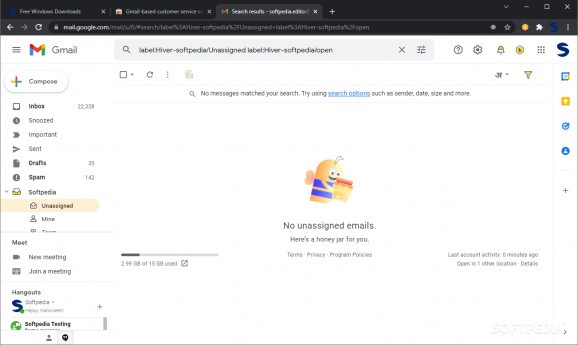 TRY YOUR SELF :
Once you get it installed, you'll find an extensive yet surprisingly easy-to-navigate dashboard. From here, the real magic begins. You can create multiple shared mailboxes and meticulously control who has access. Imagine having a dedicated 'Support' mailbox accessible only by your support team and a separate 'Sales' mailbox for your sales reps. You can also share specific labels from your personal mailbox, which is fantastic for delegating tasks or sharing important information without giving access to your entire inbox. This level of granular control ensures that information gets to the right people, improving accountability and making sure nothing important slips through the cracks.
But Hiver is more than just a sharing tool; it's packed with features designed to boost your team's efficiency. You can create and share email templates, which is a massive time-saver for answering frequently asked questions or sending out standardized communications. Need to make sure an email lands in someone's inbox at the perfect time? Use the 'Send Later' feature. My personal favorite is the ability to share drafts with your team, allowing for collaborative editing before a crucial email is sent. You can even set reminders for follow-ups and get alerts when changes are made, keeping everyone in the loop.
So, who is this for? Honestly, any team that relies on Gmail for communication and collaboration could benefit. Whether you're handling customer queries, managing a project, or coordinating with business associates, Hiver can bring order to the chaos. It effectively extends Gmail's functionality, turning it from a simple email client into a powerful tool for teamwork. With a freemium model available, it's easy to get started and see if it's the right fit for your workflow. If you're tired of the endless email forwarding and want to streamline your team's communication, I highly recommend giving Hiver a closer look.
Posting Komentar untuk "A review of Hiver 7.5.0's freemium shared mailbox and Gmail labels."